[Quicky] VScode: stickyScroll
![[Quicky] VScode: stickyScroll](https://cdn.hashnode.com/res/hashnode/image/upload/v1709097858787/0b6d5d0c-5b59-40c7-b0f1-c5daa95f7209.png)
T
10+ years most with Ruby on Rails and JavaScript frontend and some Go. My first language is C for 3 years in university.
On a long file or method, it is nice to see where you are at a glance (see the discontinued line number).
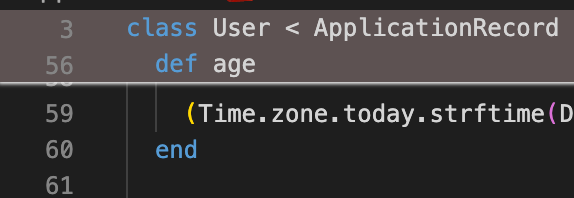
It's possible with stickyScroll. The default contrast is low but you can change them in colorCustomizations.
// settings.json
    "editor.stickyScroll.enabled": true,
    "workbench.colorCustomizations": {
        "editorStickyScroll.background": "#5d5252",
        "scrollbar.shadow": "#fcfcfc"
    }
